If your business is GST-registered, every sale must be backed by a valid GST invoice. Get it wrong — missing a field, wrong tax rate, or incorrect GSTIN — and your customer loses their input tax credit, creating disputes and damaging trust.
The good news: creating a proper GST invoice takes less than 2 minutes with the right tool. This guide explains exactly what goes into a GST invoice and how to create one online for free.
✅ Key Takeaways
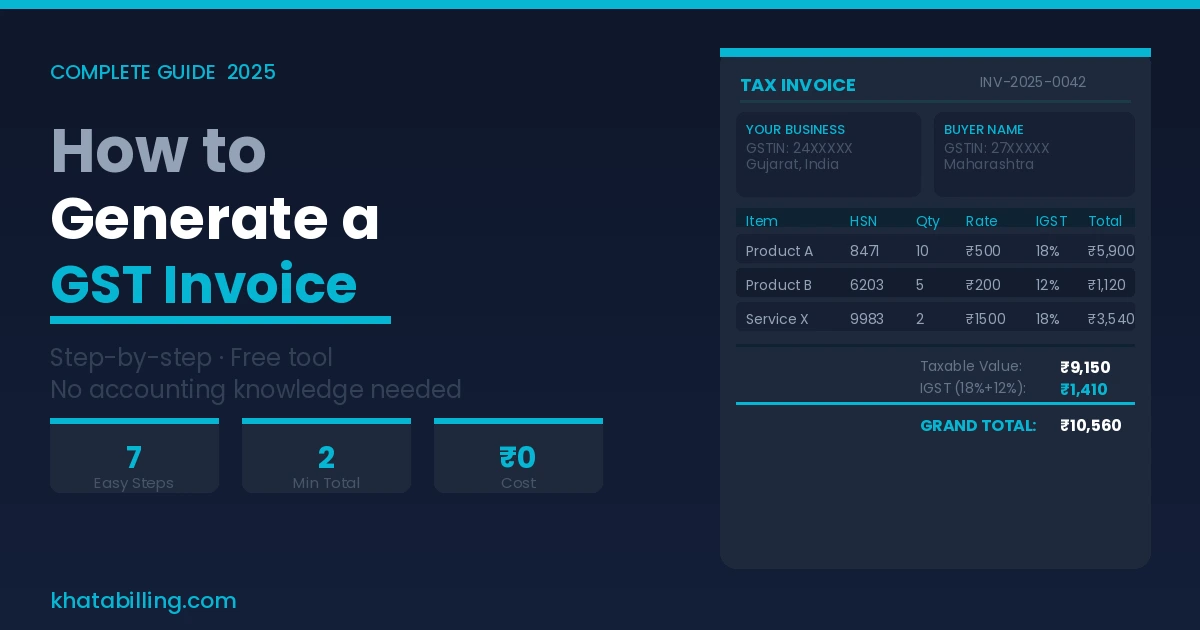
- Supplier's legal name, address, and GSTIN
- Unique invoice number (sequential, no gaps)
- Invoice date
- Buyer's name, address, and GSTIN (mandatory for B2B)
- Place of supply (determines CGST+SGST or IGST)
- HSN code (goods) or SAC code (services) for each line item
- Description, quantity, and unit of measurement
- Taxable value (before GST)
- Applicable GST rate and tax amount split
- Total invoice value (inclusive of GST)
- Whether GST is payable on reverse charge basis
- Signature or digital signature of the supplier
Step 1 — Understand CGST, SGST, and IGST
The first thing to get right on any GST invoice is which type of tax applies:
- CGST + SGST — When buyer and seller are in the same state. Both taxes are equal. Example: GST rate is 18%, so CGST = 9% and SGST = 9%.
- IGST — When buyer and seller are in different states. Full GST rate as IGST. Example: 18% IGST.
Most billing software — including Khata Billing — detects this automatically based on the buyer's state. You just enter the customer's address.
Step 2 — Find the Correct HSN / SAC Code
Every product needs an HSN code, and every service needs a SAC code on the invoice.
- Turnover up to ₹5 crore: 4-digit HSN code is sufficient
- Turnover above ₹5 crore: 6-digit HSN code is mandatory
You can search HSN codes on the GST portal or Khata Billing's built-in HSN search feature.
Step 3 — Calculate the Tax Amount Correctly
GST is always calculated on the taxable value (not the MRP). Here's a simple example:
- Product price: ₹1,000
- GST rate: 18% (intra-state)
- CGST (9%): ₹90
- SGST (9%): ₹90
- Total invoice value: ₹1,180
If you offer a discount, GST is calculated on the post-discount taxable value — not the original price.
Step 4 — Create the Invoice Using Khata Billing
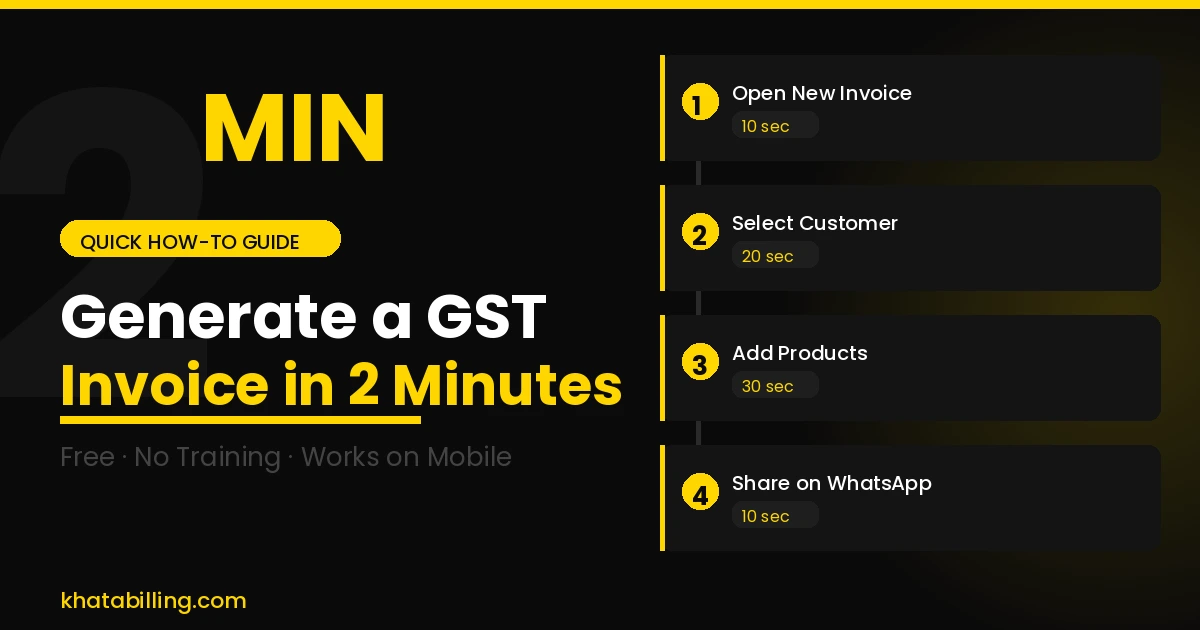
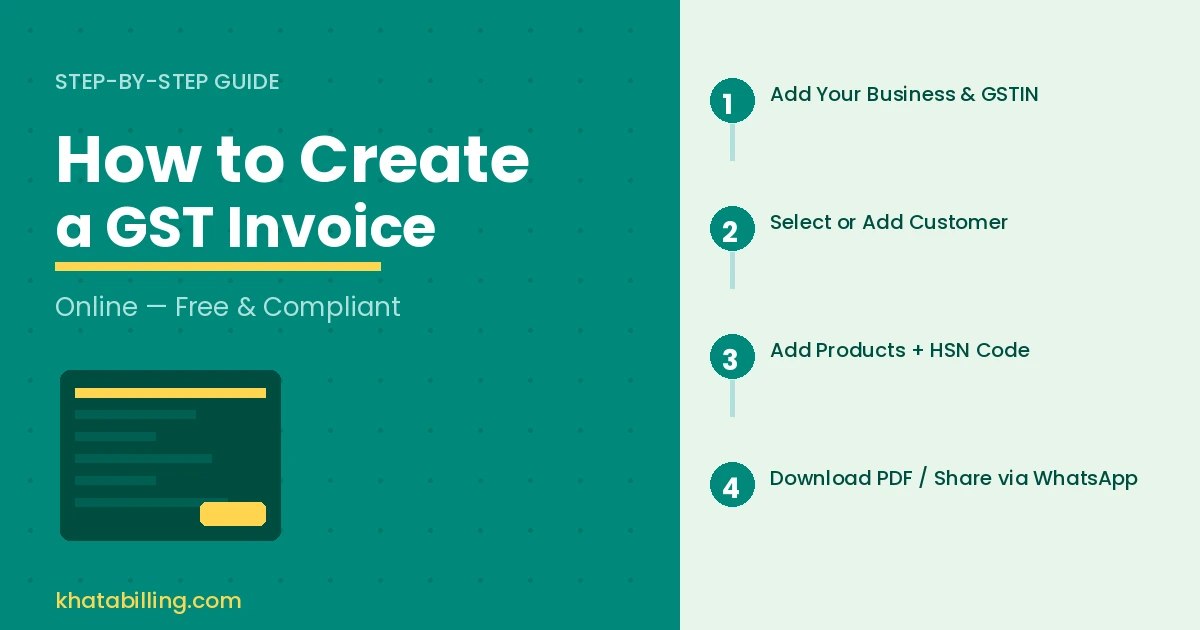
Here's how to create a GST invoice on Khata Billing in 4 clicks:
- Add your business: Enter your company name, GSTIN, address, and logo once. Saved permanently.
- Add a customer: Enter the buyer's name, address, and GSTIN (for B2B). The app auto-detects whether CGST+SGST or IGST applies.
- Add products/services: Select from your saved product list or add new ones with HSN code and GST rate.
- Review and share: The invoice is auto-calculated. Download as PDF or share directly via WhatsApp.
GST Invoice vs Bill of Supply — What's the Difference?
This is a common point of confusion:
- GST Invoice — Issued when the transaction is taxable (GST applies). Shows GST amount separately.
- Bill of Supply — Issued when goods/services are exempt from GST, or by a composition scheme dealer. No GST is charged or shown.
If you're a regular GST taxpayer selling taxable goods, you always issue a GST Invoice — not a Bill of Supply.
Common GST Invoice Mistakes to Avoid
These are the most frequent errors that cause input tax credit rejections:
A correct GST invoice takes under 2 minutes to generate with the right tool — and protects both you and your customer from compliance issues. Start with Khata Billing for free and create your first GST invoice right now. No signup fees, no credit card required.